In-game menu
The menu you open on top of a running game.
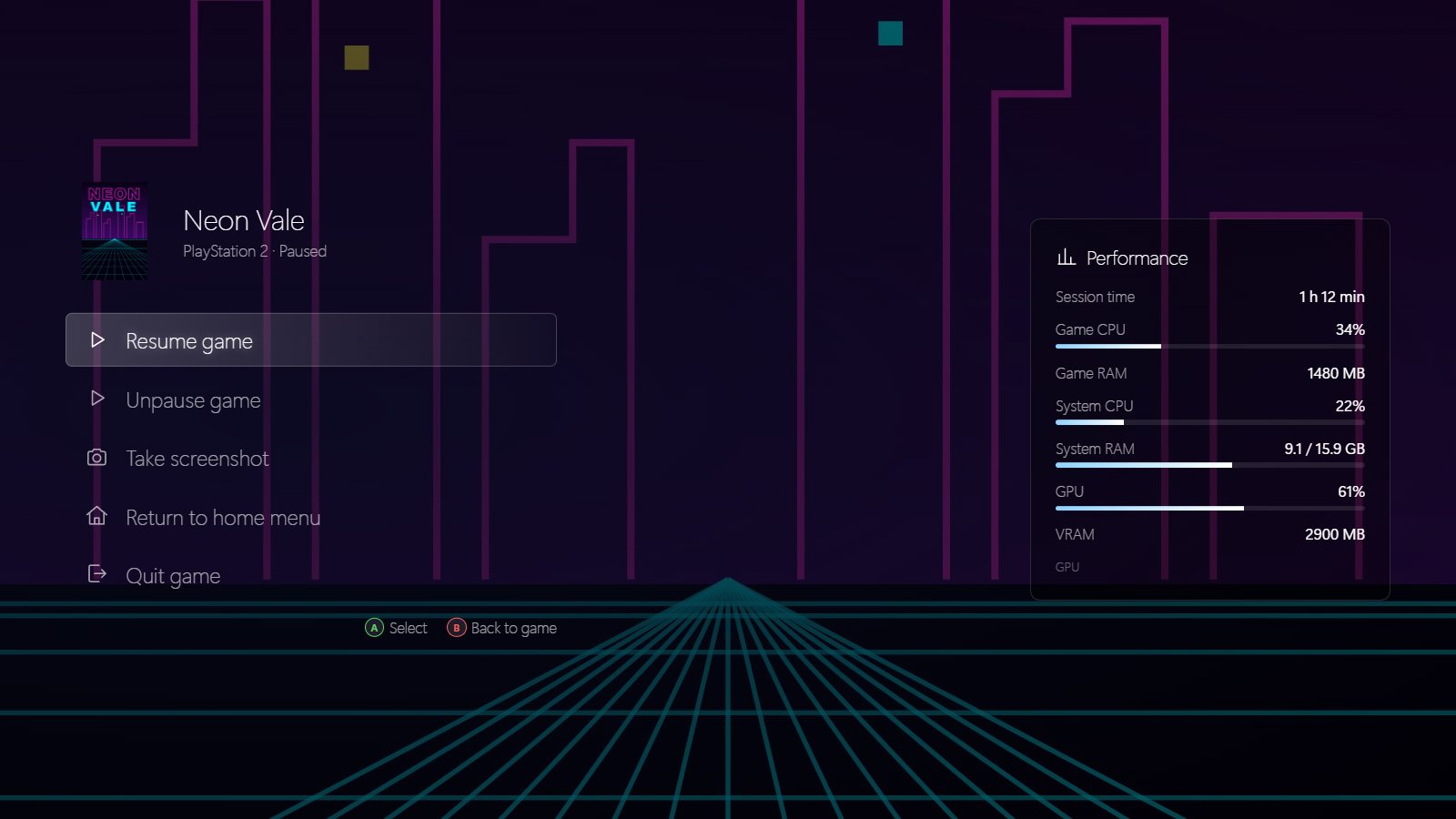
While a game runs, press the controller's Guide button (or Back + Start, or Ctrl+Shift+Home). Which of these opens the menu is set in Settings → Controller Settings → In-game menu button.
| Item | What it does |
|---|---|
| Resume game | Closes the menu and returns to the game. |
| Pause / Unpause game | Suspends the game process itself, independent of the emulator. |
| Take screenshot | Saves the screen; screenshots are listed under Media → Screenshots. |
| Quick save / Quick load | Save and load a state in RetroArch games. |
| Return to home menu | Shows the POLYMIRA home screen with the game paused in the background. |
| Quit game | Closes the game and everything it started. |
The performance panel shows the game's CPU and RAM use, system CPU and RAM, and GPU usage on NVIDIA cards.
Exclusive full screen
The menu draws over games running in borderless full screen. Games in exclusive full screen may hide it. Choose borderless or windowed full screen in the game's display settings.
RetroArch, DuckStation, PCSX2 and Dolphin are switched to borderless full screen automatically. Turn this off with Settings → Controller Settings → Borderless full screen in emulators.
While you play
POLYMIRA stays open behind the game on a black screen and stops its own animation, so it does not use GPU time. When the game exits, you are back on the home screen.