v0.1 Release notes & updates →

Your PC, as a game console.

POLYMIRA unifies your Steam, Epic, and Xbox libraries alongside your emulated console games in a single controller-first interface built for Windows.

Free · Windows 10 & 11 · English and Turkish

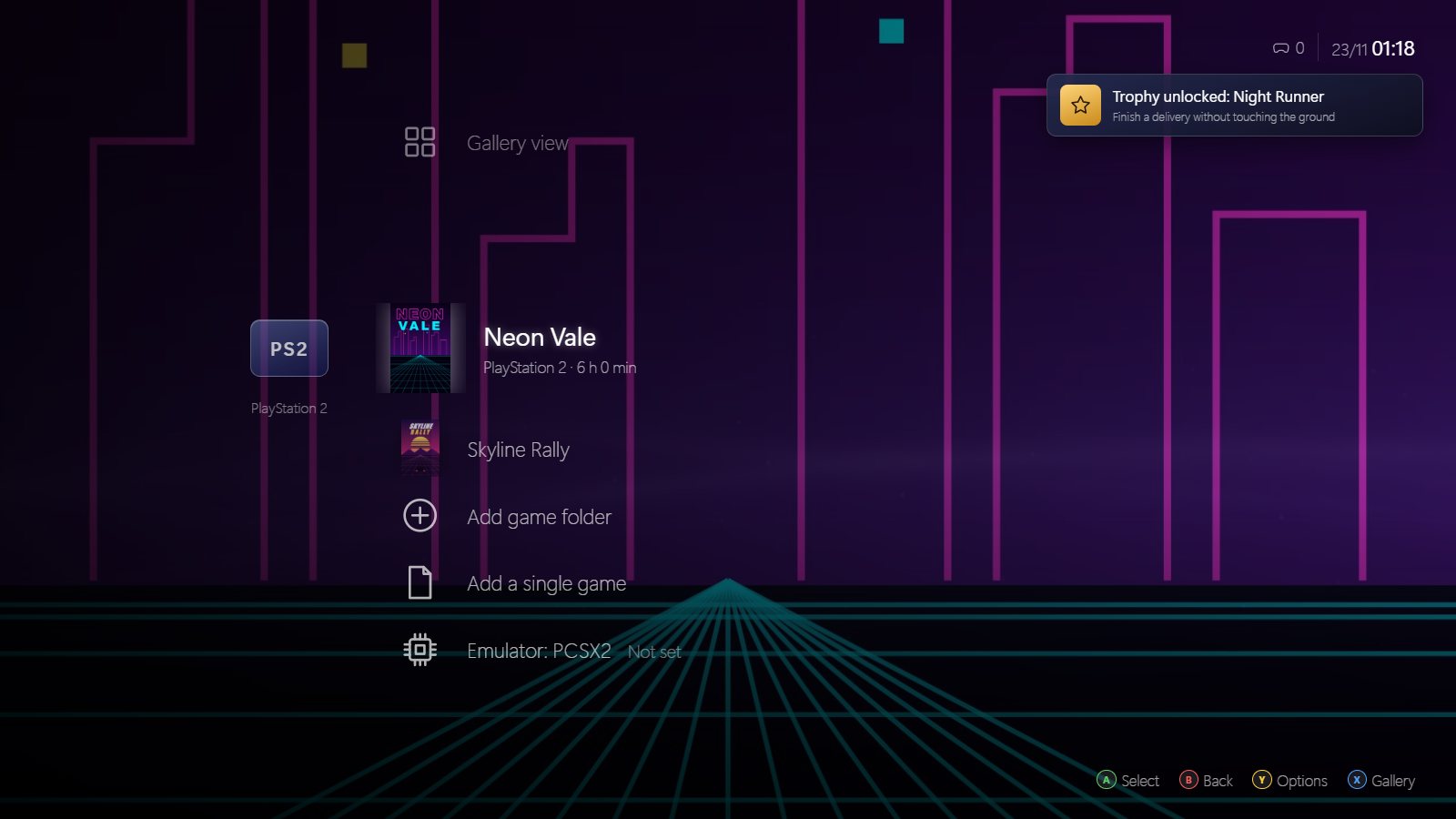
POLYMIRA home screen: the PlayStation 2 folder with Neon Vale selected and a trophy notification

Real screenshot from the Windows build. Sample titles are shown for illustration.

Discovers and launches titles from

Built-in PS5 / PS4 Core

POLYMIRA ORBIS

An original clean-room Rust emulation core shipped inside POLYMIRA — featuring a Vulkan 1.2/1.3 renderer, RDNA2 → SPIR-V GPU-VS JIT, live AUTO-HEAL recovery, FSR/DLSS upscaling with 2x/3x FrameGen, and Universal NID Telemetry.

RDNA2 → SPIR-V JIT AUTO-HEAL Watchdog FSR / DLSS + FrameGen PPSA17221 In-Game
Open ORBIS & Compatibility → Honest, hardware-verified compatibility database

Tour

One interface for everything you play.

No desktop clutter, no nested launcher windows, no manual emulator setup. Every screenshot below is captured directly from the app.

A library that builds itself

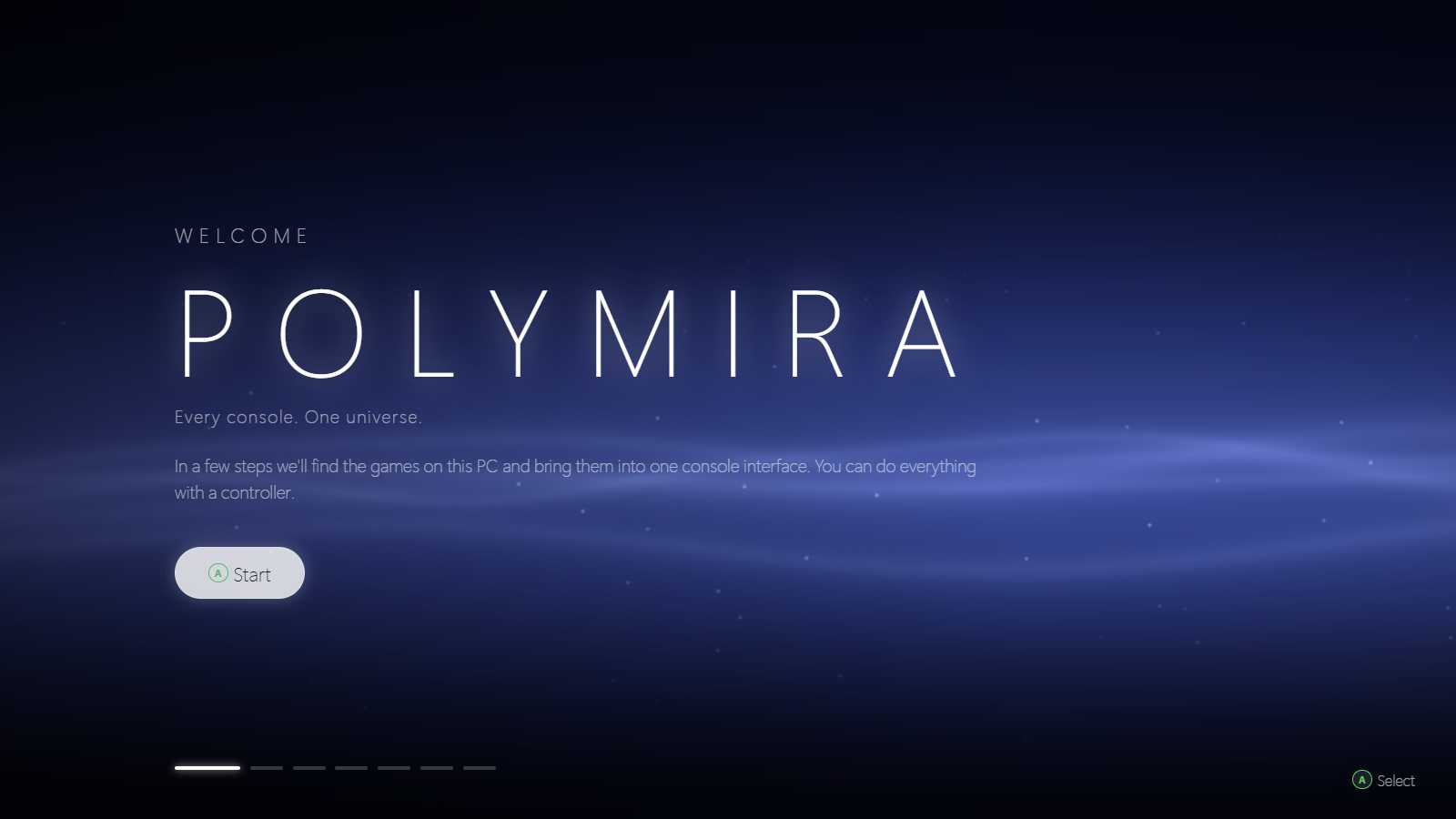
The first-run wizard scans every drive for store installs, emulators, and ROM directories. Artwork, metadata, and launch profiles are assembled automatically.

  • Steam, Epic, Xbox app, GOG, EA, Ubisoft, Battle.net, and Riot
  • PlayStation, Nintendo, Xbox, Sega, and arcade systems through managed emulators
  • Play time tracking, last launch result, and honest per-game compatibility status
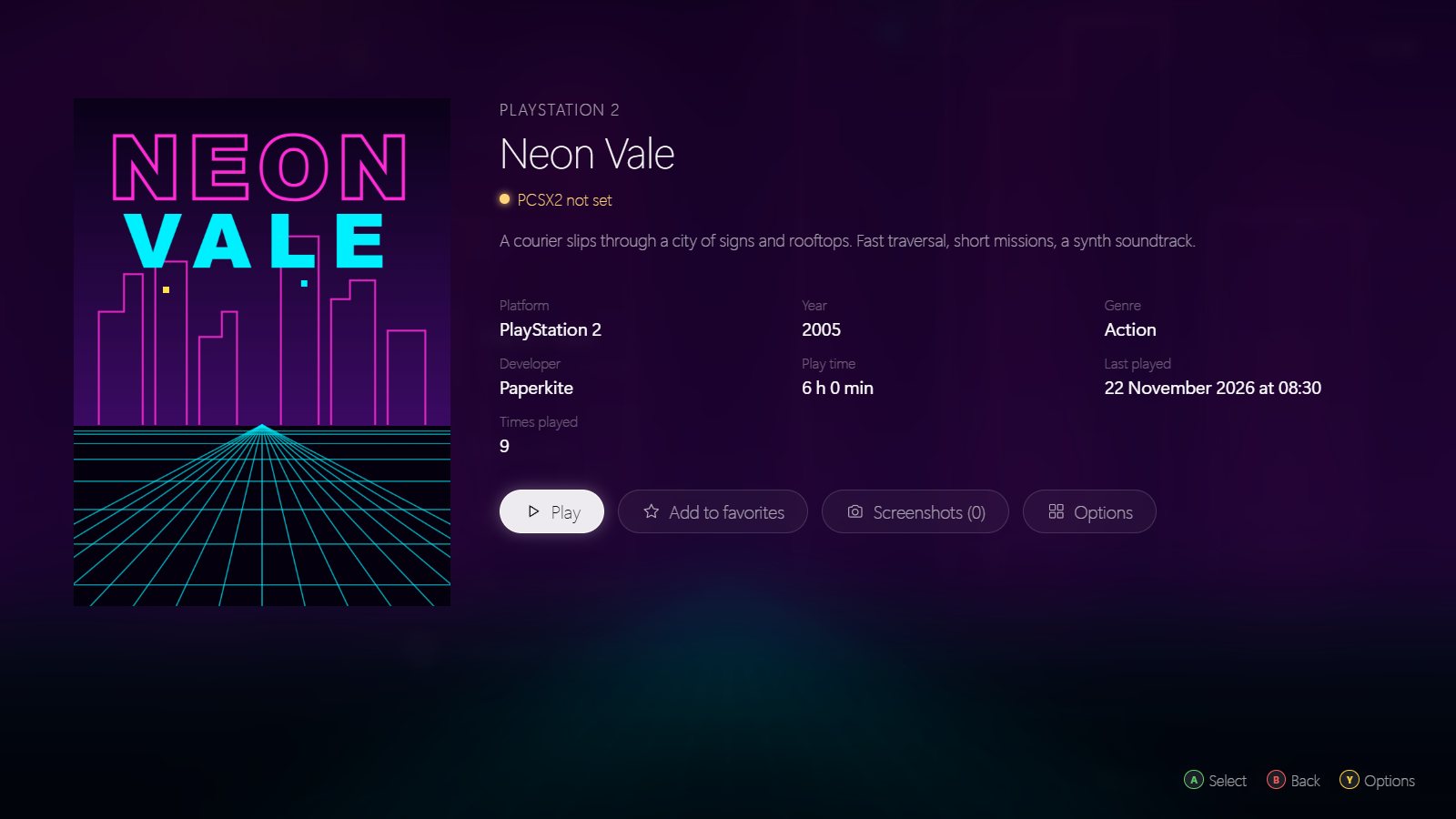
Game detail page for Neon Vale with year, genre, developer and play time

Press Guide inside any game

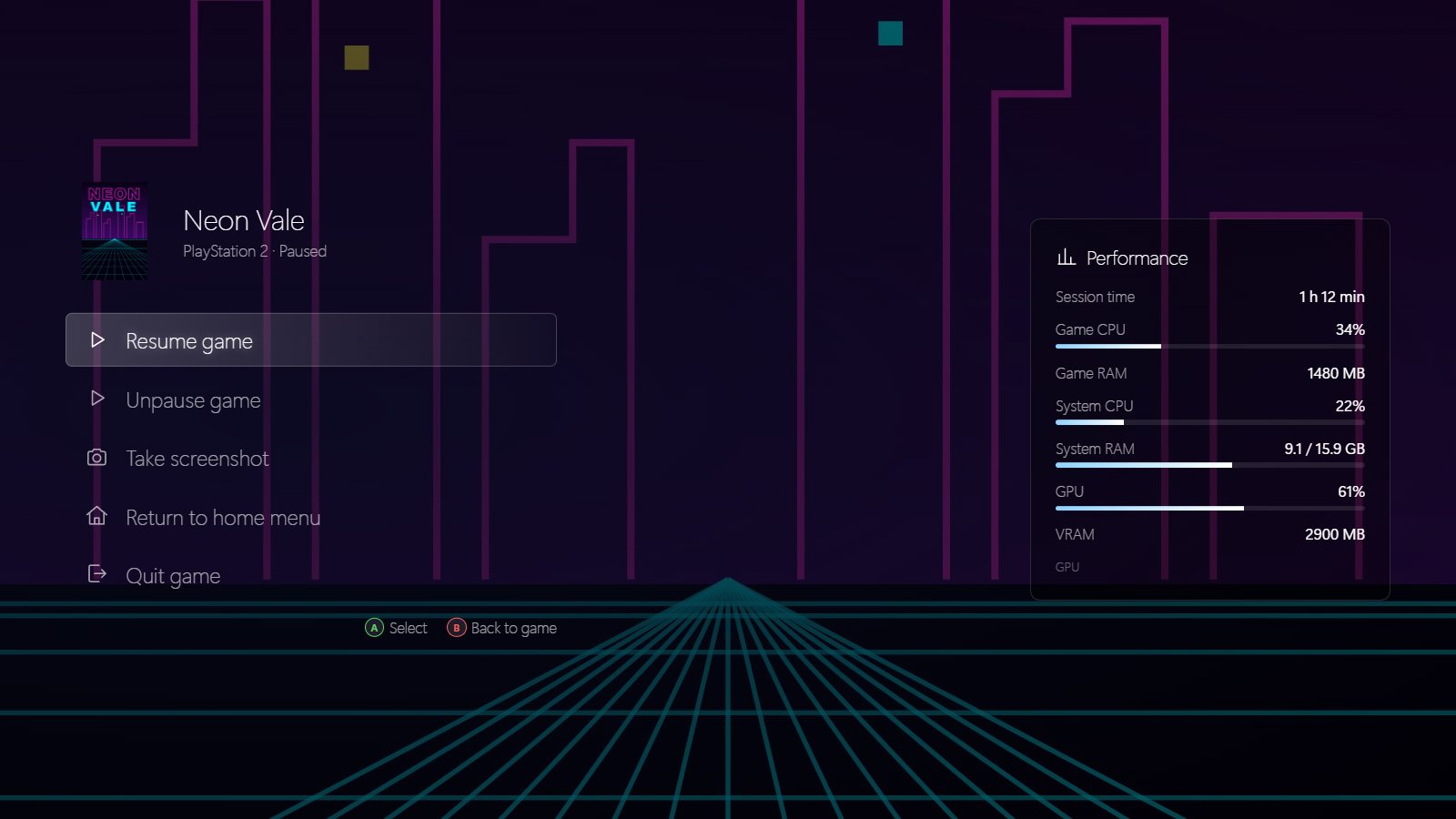
Your controller's Guide button opens a system overlay over the running game. The game process suspends cleanly while the menu is active.

  • Resume, pause, screenshot, and clean process termination
  • Quick save and load states for RetroArch titles
  • Live CPU, RAM, and GPU telemetry for both game and host system
In-game menu over Neon Vale with the performance panel

Emulators, configured automatically

Supported emulators download from their official upstream releases in the background. Before launch, POLYMIRA writes controller bindings directly so you never touch external setup dialogs.

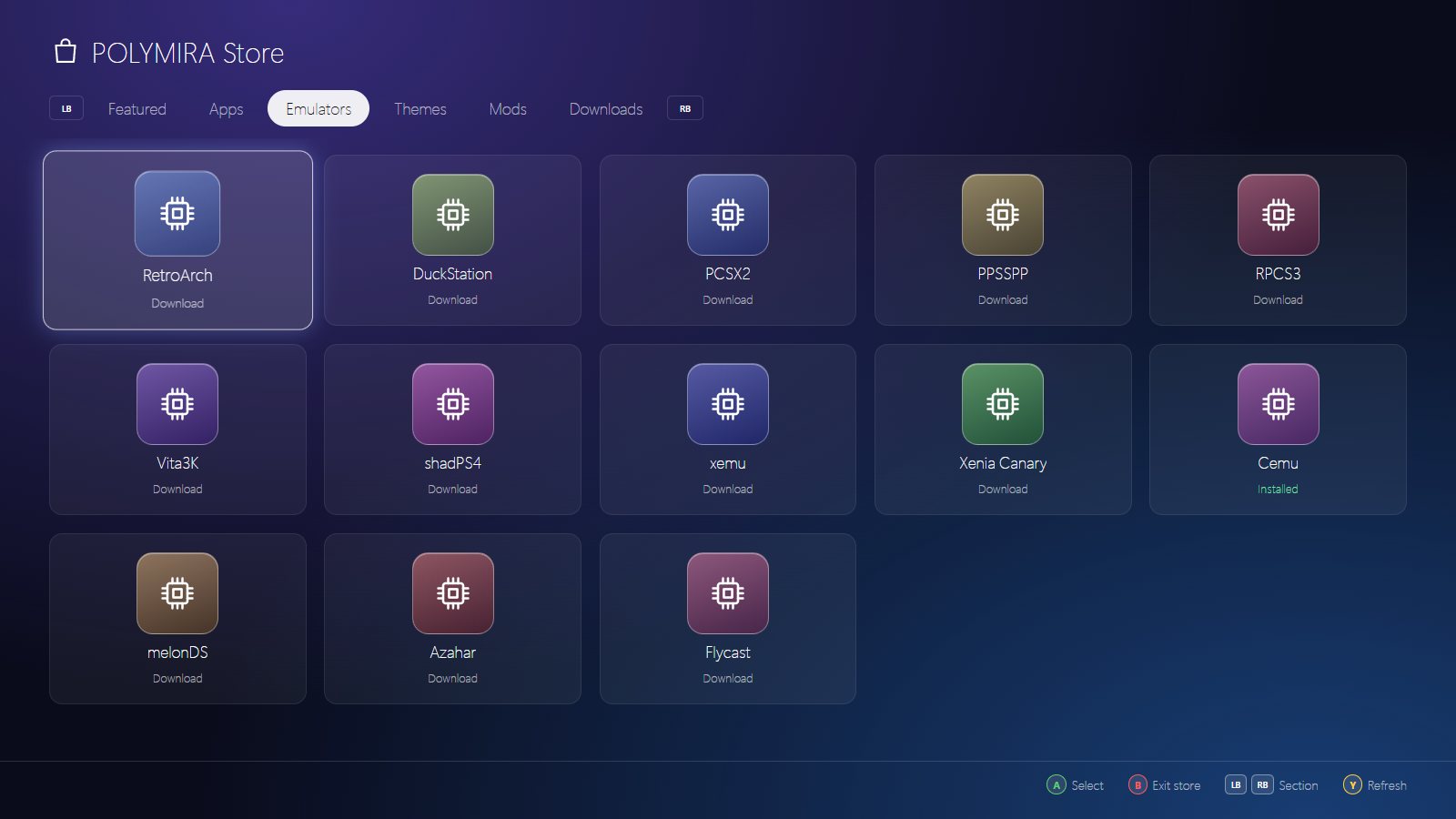
  • RetroArch cores, DuckStation, PCSX2, PPSSPP, RPCS3, Xenia, Cemu, and built-in Orbis
  • Automated save backups for every emulator with optional cloud sync folder
  • Per-game emulator selection, video filters, and custom launch arguments
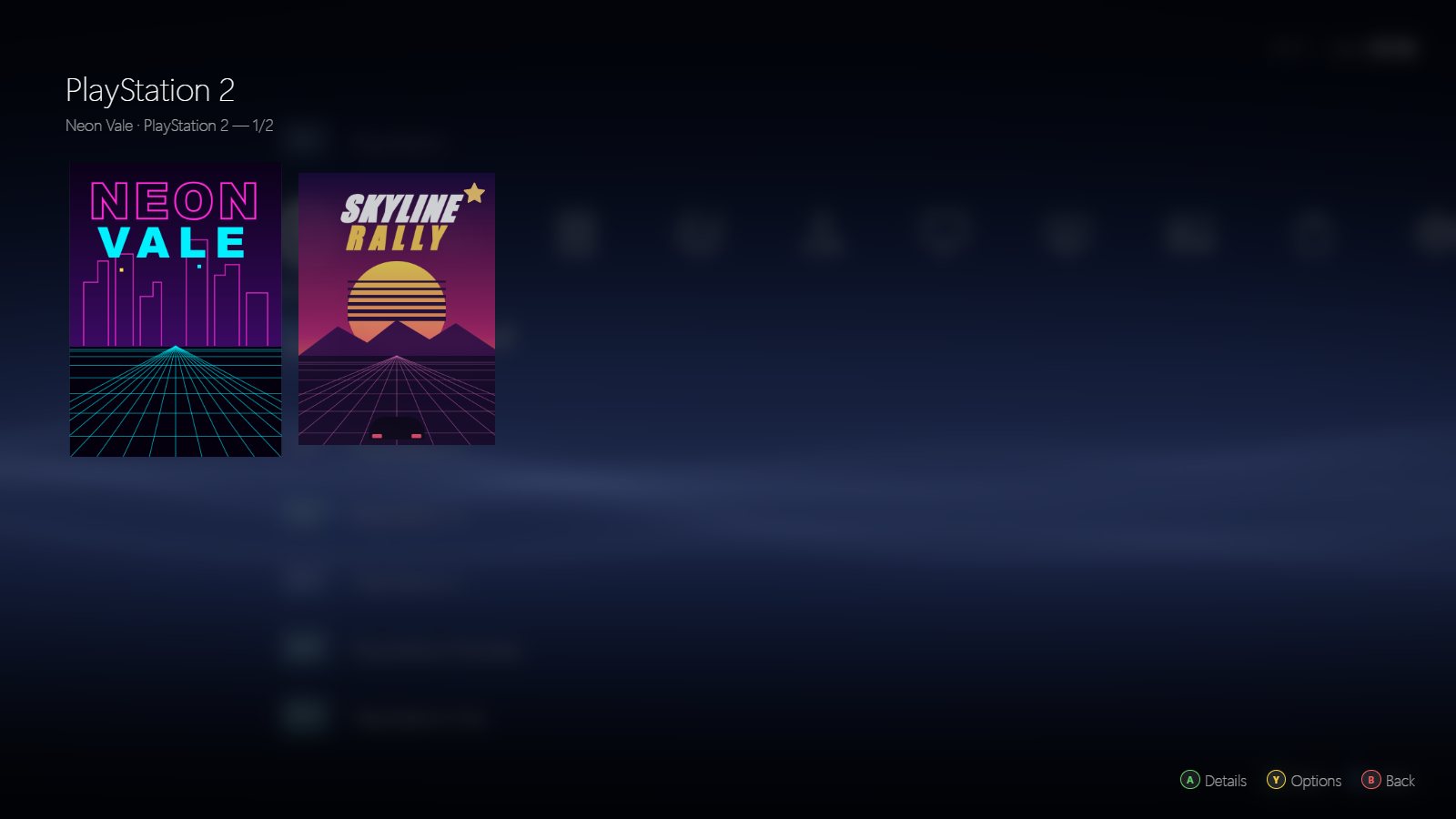
The store's Emulators tab
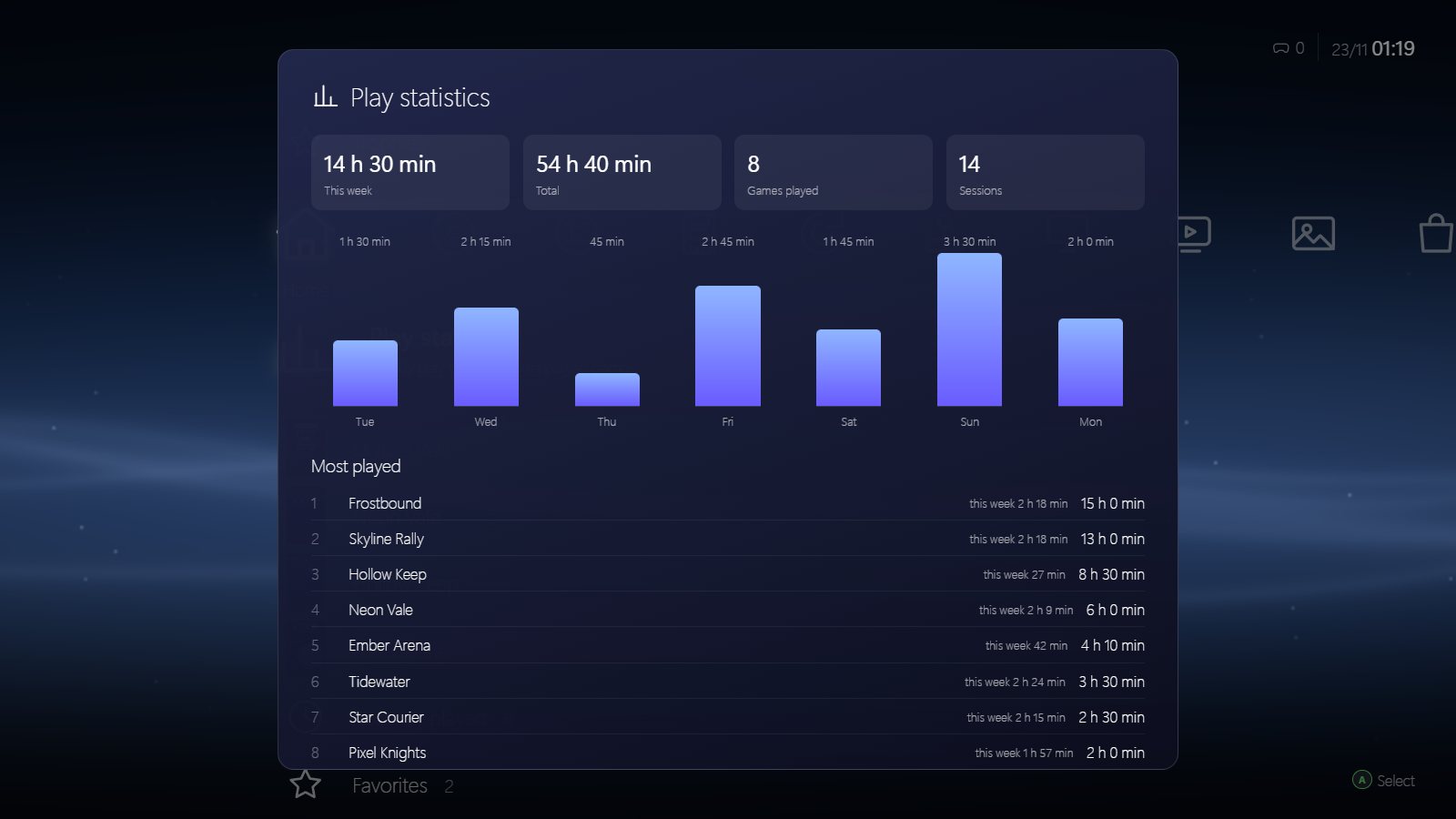
Play statistics screen
Play statistics
Cover gallery view
Cover gallery
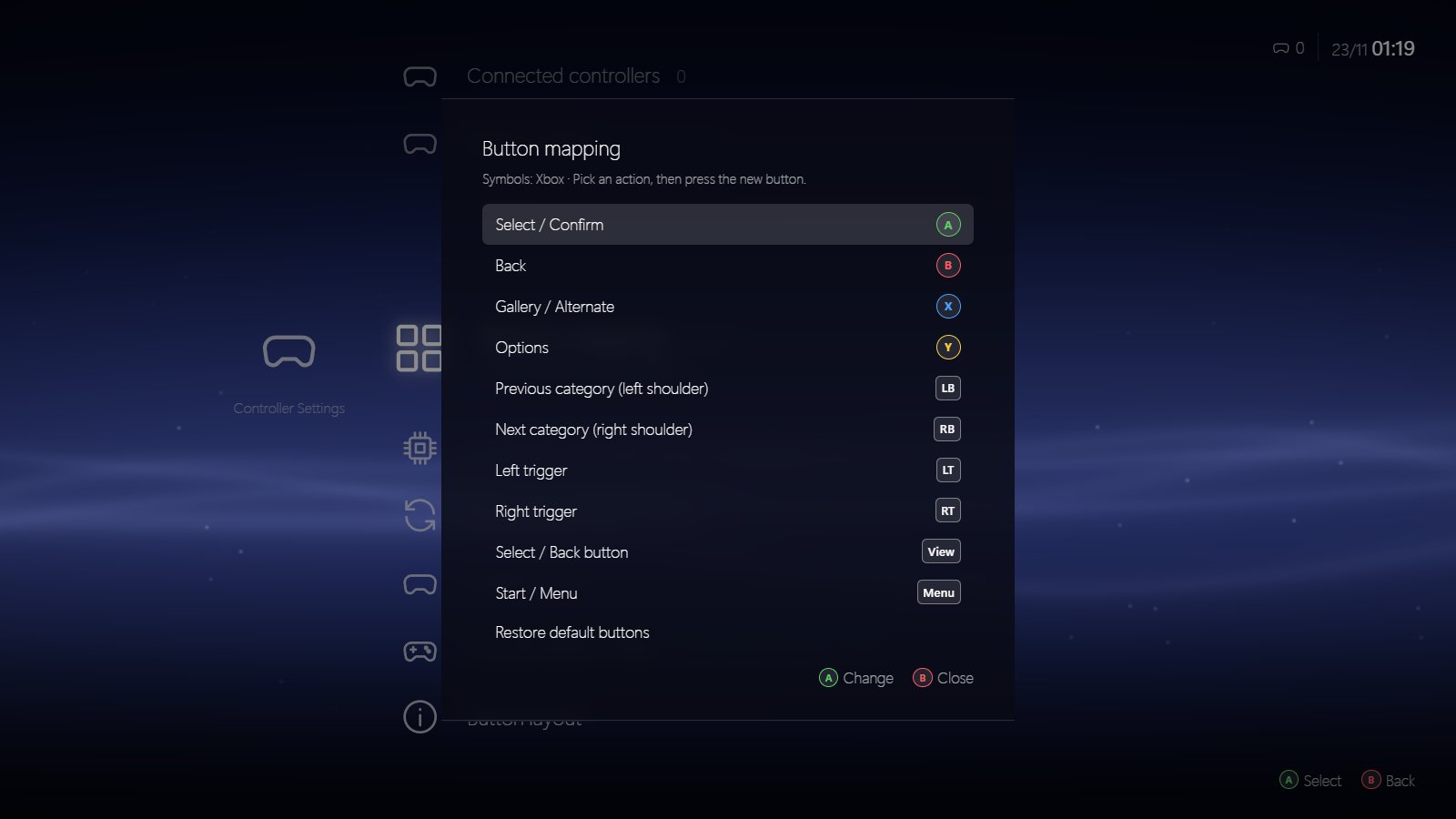
Button mapping screen
Button mapping
First-run welcome screen
First-run wizard

Capabilities

Engineered for couch play.

Controllers

Xbox, DualShock 4, DualSense, and Switch Pro. On-screen prompts match your active pad; every action is remappable.

Trophies

Reads Steam achievements directly from local Steam client data and integrates RetroAchievements for emulated libraries.

Notifications

Downloads, unlocked trophies, save backups, and app updates appear as unobtrusive cards — including over running games.

Built-in Apps

Browser, YouTube, and Twitch run inside the console shell with a stick-driven pointer and on-screen keyboard.

Store, Themes & Mods

Install apps, emulators, visual themes, and community CSS mods from a dedicated full-screen catalog.

Game Mode

Raises game process priority and switches to a high-performance power plan during play, restoring defaults on exit.

Verified Updates

Releases download in the background from GitHub and are checked against their SHA-256 digest before installation.

Crash Watchdog

A lightweight watchdog restores the Windows desktop and restarts the shell cleanly if an unexpected exit occurs.

Bilingual UI

Full English and Turkish localization, switchable at any time in Settings without restarting.
Platforms

Supported systems

Every system carries an explicit compatibility status inside the app. Platforms without a working runner are never presented as playable.

PlayStation Stable

PS1, PS2, PSP stable. PS3, Vita, PS4, and native PS5/PS4 via POLYMIRA Orbis experimental.

DuckStation · PCSX2 · PPSSPP · RPCS3 · Vita3K · shadPS4 · Orbis

Nintendo Stable

NES, SNES, N64, Game Boy family, DS, 3DS, GameCube, Wii, Wii U, Switch.

RetroArch · melonDS · Azahar · Dolphin · Cemu · Ryujinx

PC Stable

Major PC storefronts plus any standalone .exe, shortcut, or local game folder.

Steam · Epic · Xbox app · GOG · EA · Ubisoft · Battle.net · Riot

Sega Stable

Master System, Mega Drive, Saturn, Dreamcast, and Game Gear.

RetroArch · Flycast

Xbox Experimental

Original Xbox and Xbox 360 titles through managed community emulators.

xemu · Xenia Canary

Arcade & Retro Stable

Arcade, Neo Geo, Atari, MSX, and Commodore 64 collections.

RetroArch

POLYMIRA does not include games, BIOS, firmware, or encryption keys. Use backups of software you legally own.

FAQ

Common questions

Is POLYMIRA free?

Yes, for noncommercial use. Official installers and portable builds are published on GitHub Releases.

Why does Windows show a SmartScreen warning?

The installer is not code-signed yet. Choose More info → Run anyway. The full source code is publicly auditable on GitHub.

Do my Steam and Epic games still work normally?

Yes. Store games launch through their own official clients. POLYMIRA never moves, copies, or modifies your game files.

Does it include BIOS files, firmware, or games?

No. You must supply your own game backups and, for systems that require them, BIOS or firmware dumped from your own hardware.

Where can I read the full documentation?

Visit the documentation for setup guides, controller mapping, emulator configuration, save backups, and the ORBIS core.

Every console. One universe.

Free download for Windows 10 and 11. If POLYMIRA is useful to you, starring the repository on GitHub helps support development.